On sale

JUNQ Edit, the text editor for Mac and WindowsAll your text work,
in one place.

From encoding conversion and code edits to CSV editing, file compare, server files and AI writing. JUNQ Edit is a text editor with the tools your daily file work needs.

For macOS (Apple Silicon) and Windows
The same file displayed in each encoding
Opened as Windows-1252Opened in its encoding
EUC-KRÇÑ±Û ÀÎÄÚµù한글 인코딩
GBK±àÂëת»»编码转换
Shift_JIS•¶Žš‰»‚¯文字化け
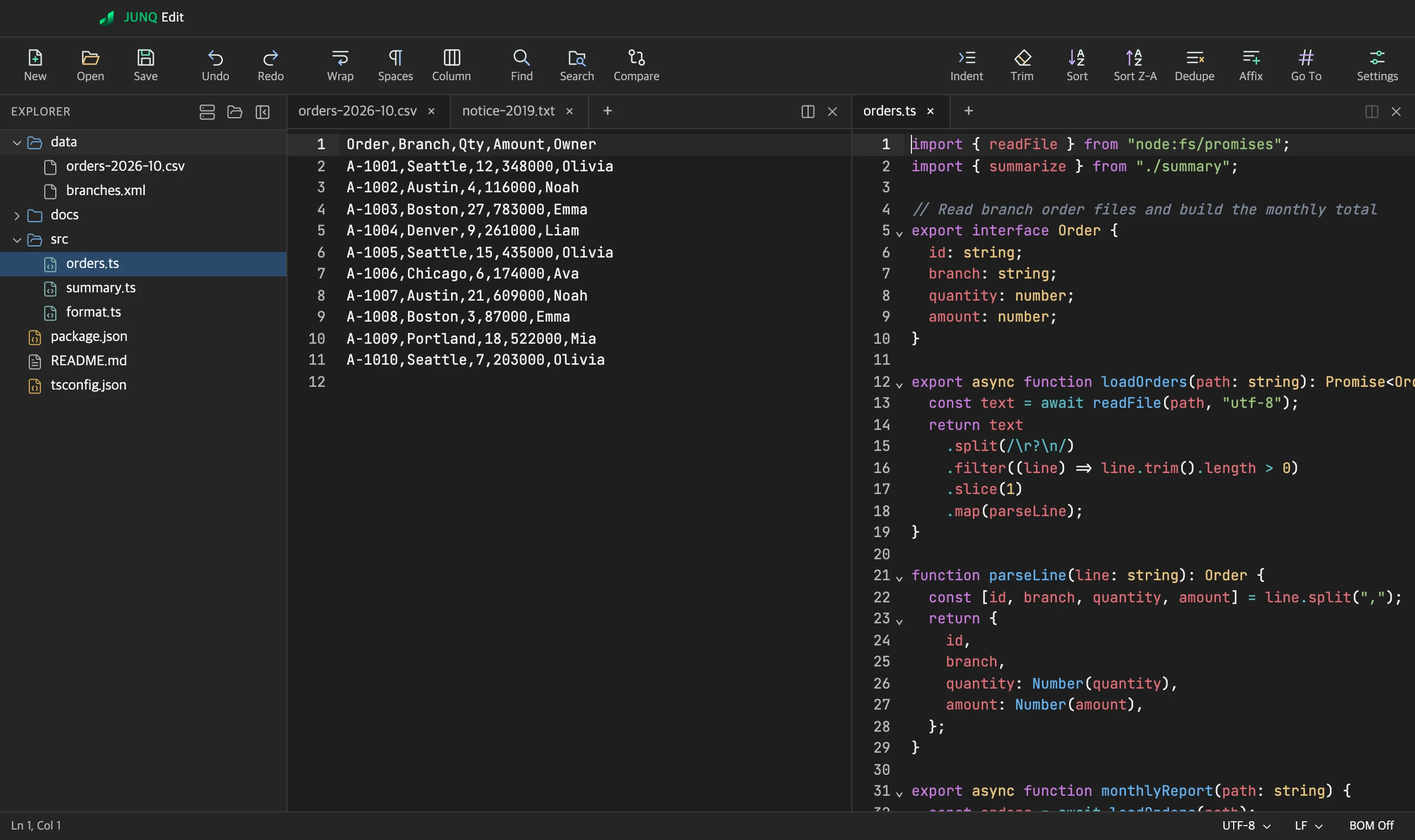
JUNQ Edit with a folder tree on the left and a CSV file and a TypeScript file side by side.
UTF-8UTF-16EUC-KRShift_JISGBKBig5SFTPFTPFTPSCSVJSONXML

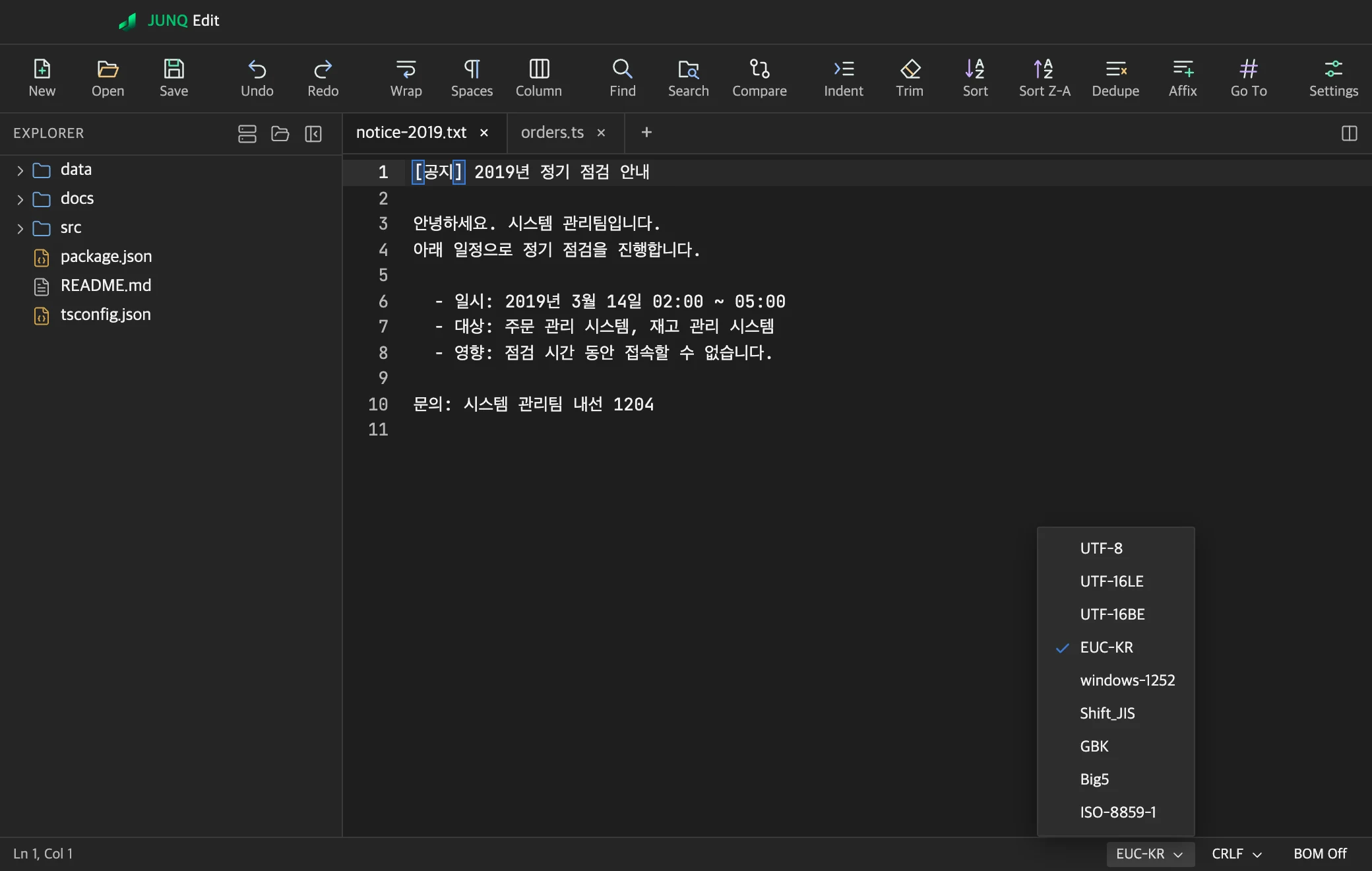
Automatic encoding detection

Files open with the encoding they were saved in. Convert from the status bar at any time.

  • UTF-8, UTF-16, EUC-KR, Shift_JIS, GBK, Big5 and more
  • Choose line endings (CRLF, LF) and BOM
  • Optional .bak backup on save
The encoding list open in the status bar.

Folder search and replace

Results are grouped by file. Select a result to go straight to that line.
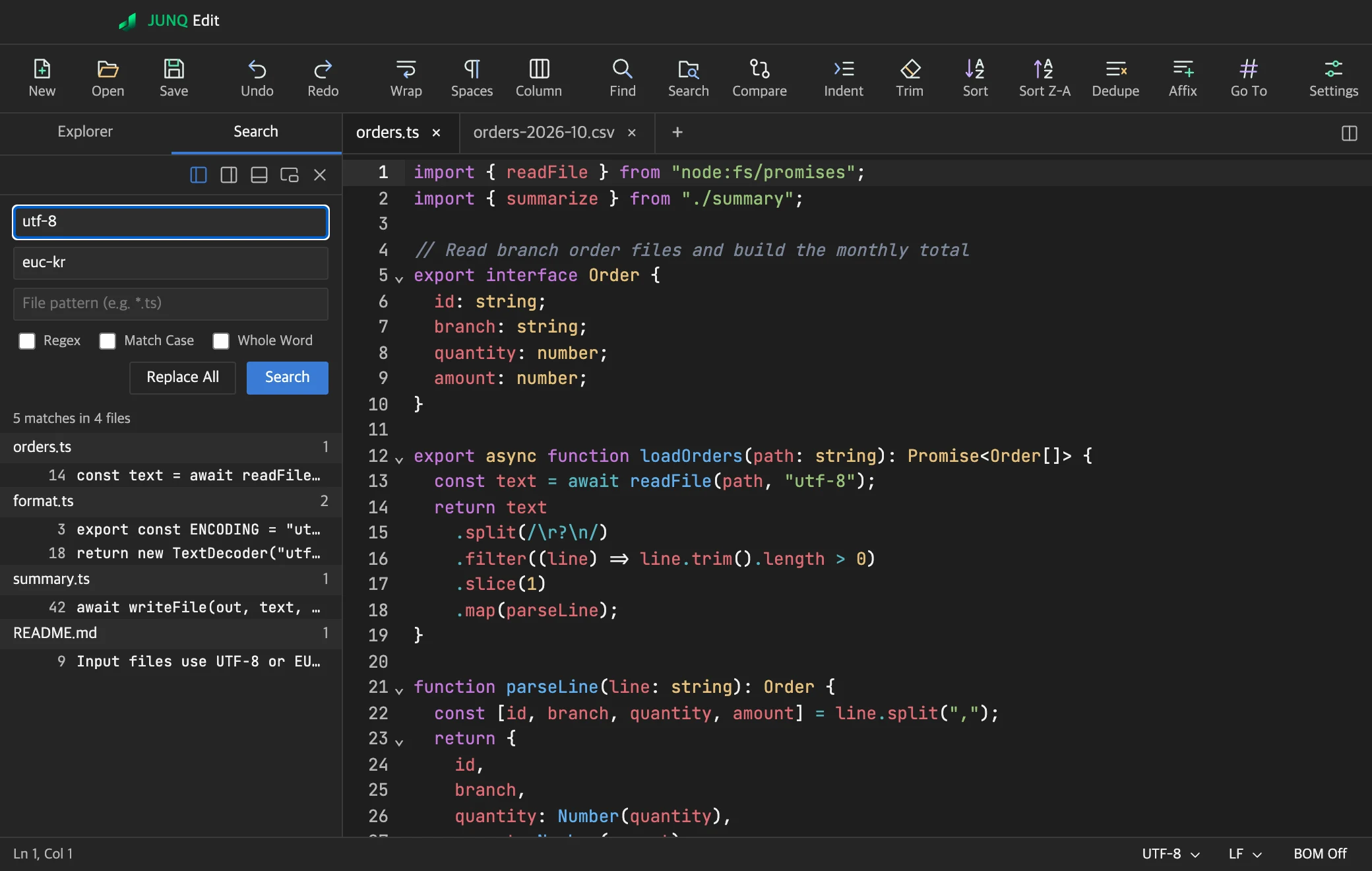
  • Regular expressions, match case, whole word
  • Limit the search with file patterns
  • Replace across the folder
Folder search results grouped by file.

File and folder compare

Changed lines appear side by side. Copy each difference across with one click.
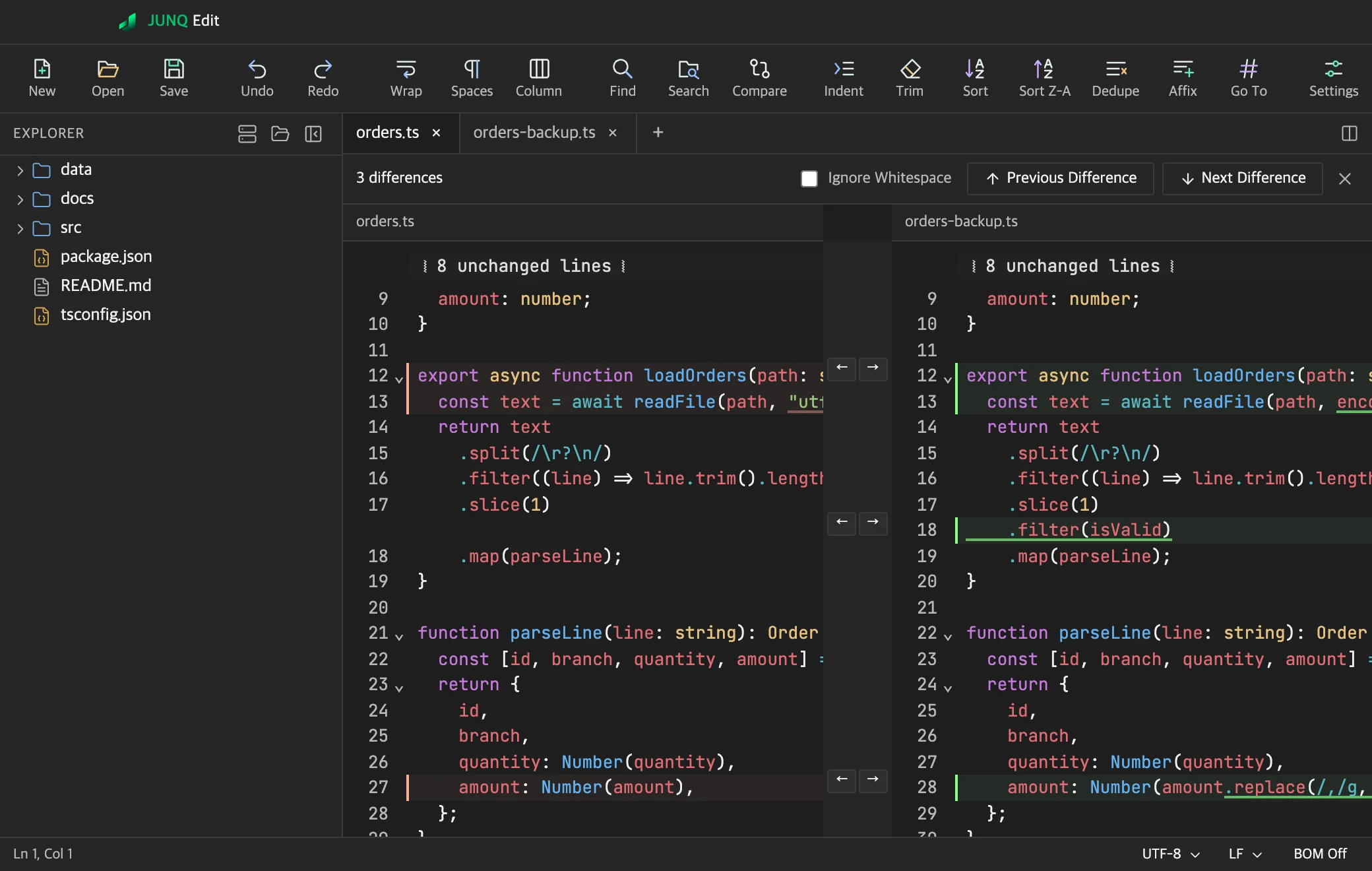
  • Compare tabs, files, or the version on disk
  • Ignore whitespace
  • Compare two folders
Two files compared side by side.

CSV table editing

Add, delete and sort rows and columns, then apply the result to the document.
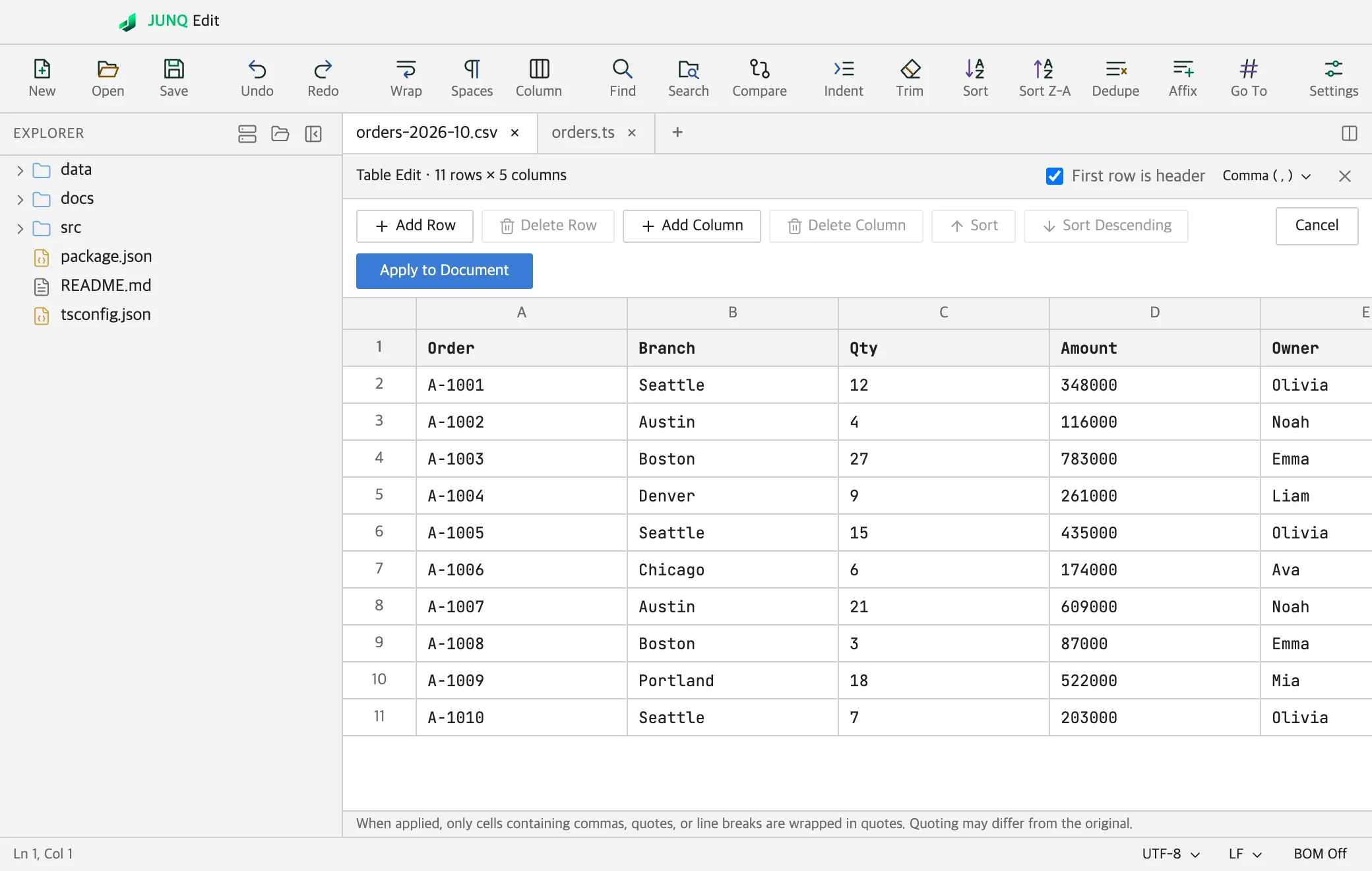
  • CSV and TSV table editing
  • Format and validate JSON and XML
  • HTML preview
A CSV file edited as a table in the light theme.

Remote file editing

Save connections as sessions and edit remote files like local ones.
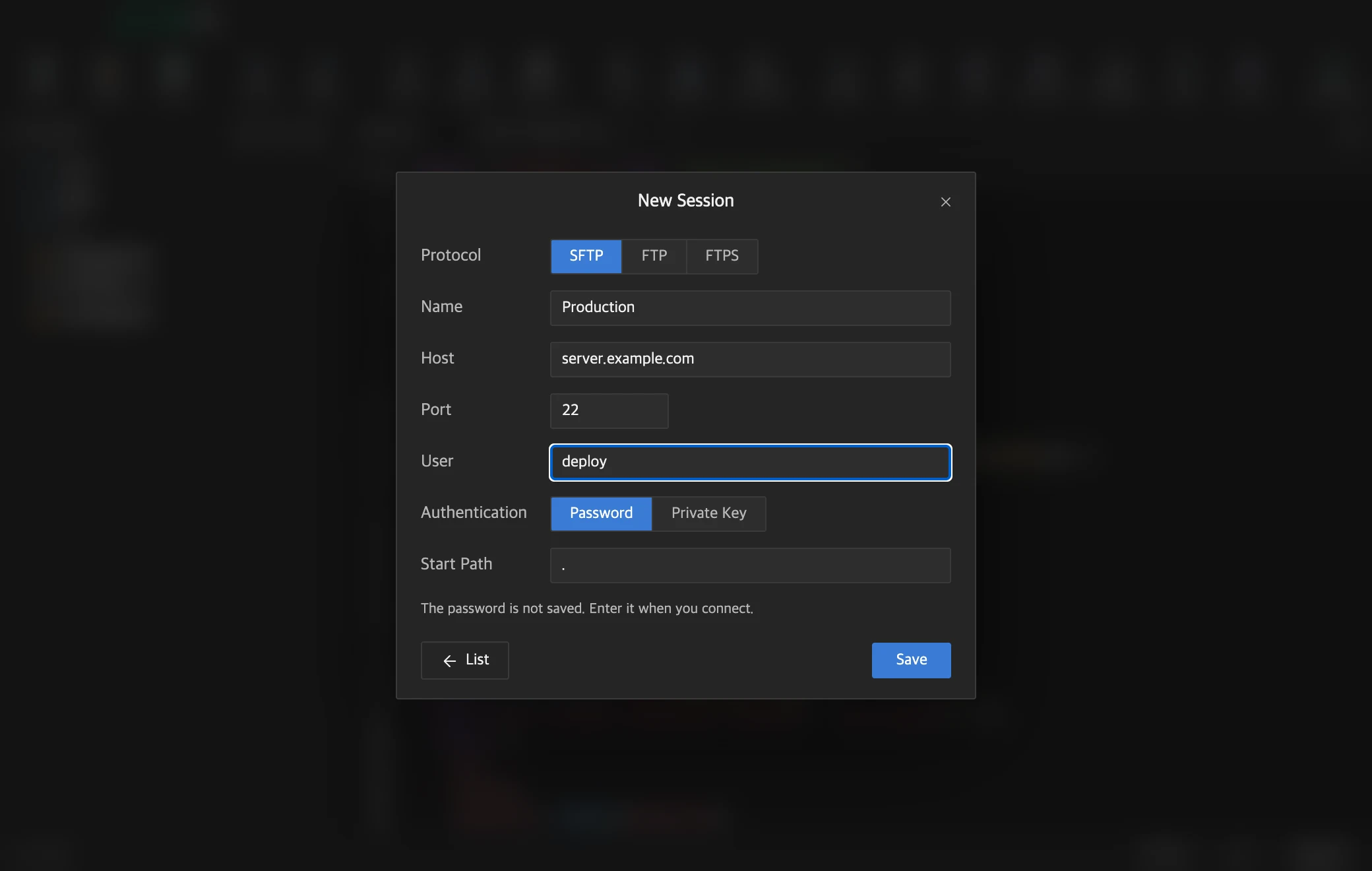
  • SFTP (password or private key), FTP, FTPS
  • Connection test and quick connect
  • Optional password storage in the keychain
The remote connection form.

AI tools

Describe what you need in a sentence. JUNQ Edit tidies up text and builds the rules and regular expressions that change your documents.

AI Writing
Summarize, polish or translate the selected text, or change it as you ask. On a Mac, choose between Apple Intelligence on the device (macOS 26 or later) and Claude.
Edit by Sentence
Describe the change in a sentence. The AI builds editing rules and the app applies them to the whole document. Preview the result first, and undo it after applying.
Regex helper
Describe what to find in a sentence to get a regular expression, then test it on sample text.

Features that use Claude send the selected text or the start of the document to Anthropic. Before sending, the app finds values such as phone numbers, card numbers and passwords, and lets you mask them.

More tools

Column Mode
Turn it on with ⌘⇧L (Ctrl+Shift+L on Windows), the toolbar or the View menu, then select by dragging or Shift+Arrow keys.
Split view
Edit up to four panes at once. Open the same document in several panes and edit it in all of them.
Find and replace
Find and replace in the current document, the selection or all open tabs. Dock the find panel or let it float.
Line tools
Sort, remove duplicates, move lines, add text before or after lines.
Show Whitespace
Show spaces, tabs and line ends (¶).
External changes
Get notified when another program changes an open file. Files without unsaved changes reload automatically.
Encrypted files
Save files encrypted with Argon2id and AES-256-GCM.
Session restore
Autosave and session restore let you pick up where you left off, unsaved text included.
Writing tools
Bookmarks, snippets and clipboard history.
File tools
Recent files, printing, file type selection on save, and file associations ("Open With").
Zoom
Zoom the editor from 50% to 300% with a trackpad pinch or shortcuts.
Layout
Choose the toolbar items in Settings and collapse the explorer with ⌘B (Ctrl+B on Windows).
Appearance and shortcuts
Dark and light themes, fonts and custom shortcuts.
Syntax highlighting
Highlights code by file type and folds code blocks.
Spell check
Turn on your system spell checker in the editor.
Automatic updates
The app checks for new versions and installs only files whose signature is verified.
Languages
The app is available in English, Korean, Japanese and Simplified Chinese, or follows your system setting.

Pricing

You can try it free for 7 days before you buy.

Subscription

Renews automatically each period. You can cancel at any time.

Monthly
$2.49Billed monthly
Subscribe
3 monthsSave 19%
$5.99About $2.00/mo
Subscribe
6 monthsSave 26%
$10.99About $1.83/mo
Subscribe
AnnualSave 39%
$17.99About $1.50/mo
Subscribe

Perpetual License

$44.99

There are no renewal charges. You can use it for as long as we provide the software.

Buy

On every plan

  • All features
  • One device per license
  • No account needed

Prices are in USD and may exclude tax. The amount and currency at checkout may differ by country.

View refund policy

How it works

Platform
macOS on Apple Silicon (macOS 12 or later) and Windows.
Free trial
You can start a free trial in the app without registering a card. The trial lasts 7 days and is available once per device.
License
No account needed. Enter the license key you receive by email after purchase.
Devices
One license works on one device. Remove the device in Settings to move it to another.
Plan changes
Move to a longer plan in the app and pay only the difference.
Internet
The app checks your license when it starts. It keeps working offline for 3 days after the last check.
AI features
AI features need an internet connection and have a daily limit per license. AI Writing on the device has no daily limit.

Frequently asked questions

Can it open files that look garbled on a Mac, such as EUC-KR or Shift_JIS?
JUNQ Edit detects encodings such as EUC-KR, Shift_JIS, GBK, Big5, UTF-8 and UTF-16 automatically and opens the file in the detected encoding. You can change or convert the encoding from the status bar.
Does it run natively on Apple Silicon?
Yes. It runs natively on Apple Silicon without Rosetta and requires macOS 12 or later.
Is there a Windows version?
Yes. An installer is available for Windows. One license works on one device, and you can move it to another device by removing the registration in the app settings.
Can I edit files directly on a server?
Yes. Connect over SFTP (password or private key), FTP or FTPS and edit remote files like local ones. Connections can be saved as sessions.
Is there a free trial?
You can start a free trial in the app without registering a card. The trial lasts 7 days and is available once per device.
Is my text sent to an AI service?
Only when you run a feature that uses Claude. Those features send the selected text or the start of the document to Anthropic, and the app first warns you about values such as phone and card numbers. AI Writing with Apple Intelligence on a Mac stays on the device.

Questions about buying or features?

Send us an email and we will reply.

Send email junq-edit@junq.co.kr